
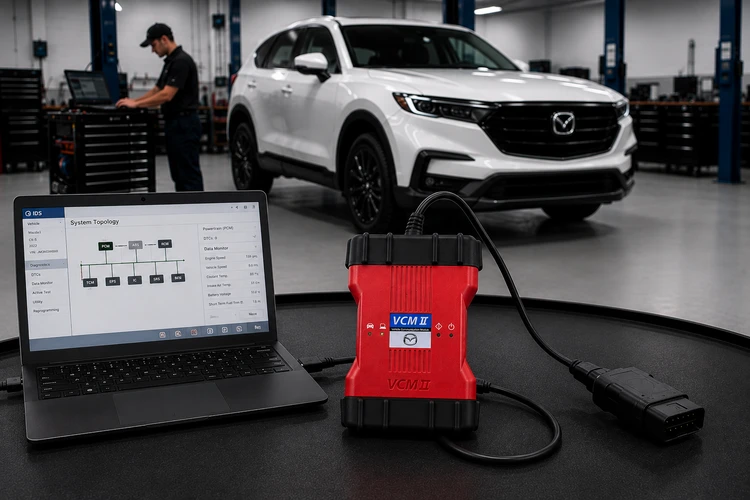
Modern Mazda vehicles function less like simple machines and more like data-rich, interconnected networks. When a late-model Mazda enters a service bay with an unreadable body code, a blank module, outdated software, or a corrupt flash configuration, a shop operating only with generic multi-brand OBD-II scan tools is left with three options: sublet the job to a mobile technician with OE tooling, send it to a dealership, or invest in factory-level access.
For independent shops aiming to compete as a genuine dealership alternative, deploying Mazda iDS and MDARS has become a baseline requirement rather than an optional upgrade.
The Architecture: iDS vs. MDARS
Mazda splits its factory diagnostic software across two platforms depending on vehicle generation. Mazda iDS covers 6th-generation and legacy vehicles, built on pre-2019 platforms and older Skyactiv architectures, running on a legacy integrated software stack. MDARS, by contrast, covers 7th-generation and newer vehicles and runs as a Chromium-based cloud application. Knowing which platform a given vehicle requires is the first step in equipping a bay correctly, since the two systems have different hardware and connectivity expectations.
Mazda iDS
Covers 6th-generation and legacy Mazda vehicles, including pre-2019 platforms and older Skyactiv architectures.
MDARS
Covers 7th-generation and newer vehicles through a Chromium-based cloud application.
Mazda Models and Rollout Years for MDARS
| Mazda3 | 2019–present |
| CX-30 | 2020–present |
| CX-50 | 2023–present |
| CX-90 / CX-70 / CX-80 | Latest platform years (2024–present) |
| CX-3 | 2016–2021 (transitioned or covered for specific late modules/updates) |
| CX-5 | Updated through later model years (fully integrated into modern diagnostics by 2021–2025 iterations) |
| Other 7th Gen / Newer Fleet | Subsequent brand-new vehicle releases utilize MDARS or MDARS II as standard dealership diagnostic coverage. |
The right Mazda diagnostic platform gives independent shops access to deeper diagnostics, module programming, ADAS procedures, and software-dependent service operations.
Why Factory Software Matters
Module Configuration and Programming
Aftermarket scanners can fail or brick modules during bidirectional writing, particularly on ECU and PCM flashing. MDARS and iDS provide native, secure access to software updates, cloning, initialize, and flash these modules, along with complete Pass-Thru J2534 compatibility, exact immobilizer synchronization for factory key programming, and secure, authorization-locked gateway access for parameter resets. That level of access is what separates a shop that can safely reflash a module from one that has to sublet the job.
Diagnostic Depth Beyond Generic Codes
Generic scanners surface little more than standard emissions codes. Mazda's factory software exposes proprietary manufacturer PIDs, communication network errors, and deeper chassis and body codes, along with direct access to the native datalogger for synchronous, multi-graph live data streams, targeted active actuator testing to force module responses on command, and more precise isolation of intermittent CAN bus glitches.
ADAS Calibration
Seventh-generation Mazdas rely heavily on radar, camera, and sonar systems for driver assistance. Replacing a bumper, windshield, or suspension component on these vehicles typically requires recalibrating those systems to stay within OEM tolerances. MDARS provides the step-by-step calibration guidance needed to do that correctly, which matters both for vehicle safety and for shop liability.
Shop Throughput
Subletting software-dependent diagnostics to a dealership extends cycle times and adds friction for customers. Handling module flashing, software updates, ADAS calibrations, steering angle resets, and electronic parking brake maintenance in-house lets a shop bill at competitive labor rates while keeping that work, and the associated margin, on-site.
PC and Laptop Requirements
Because MDARS is a cloud-reliant, Chromium-based application, the laptop running it needs to meet certain baseline requirements to avoid a dropped connection mid-flash. Mazda is specific on this point: MDARS is only supported on a PC with Windows 11 pre-installed at the factory. A PC that was upgraded to Windows 11 from Windows 8 or an earlier version is not supported, and neither is any PC with ARM chip architecture. Any PC that falls outside these requirements is not supported at all, and Mazda recommends replacing diagnostic PCs that have been in service for more than five years to keep the platform running reliably.
| Operating System | Windows 11, Professional 64-bit editions. Home editions are not supported. |
| Processor | Intel Core i5 or i7 at 2.5 GHz or higher. ARM architecture is not supported. |
| Memory | Minimum 8 GB RAM; 16 GB recommended. |
| Storage | At least 100 GB of free SSD storage. |
| USB | Dedicated USB 3.0 port for VCI hardware connection. |
| Network | Stable Wi-Fi 5 or Wi-Fi 6 connection in the service bay. |
Choosing the Right Hardware Interface
Reliable software licenses don't help much if the Vehicle Communication Interface (VCI) drops a connection mid-flash, since that risk extends to bricking an expensive customer ECU. Two paths cover most shops.
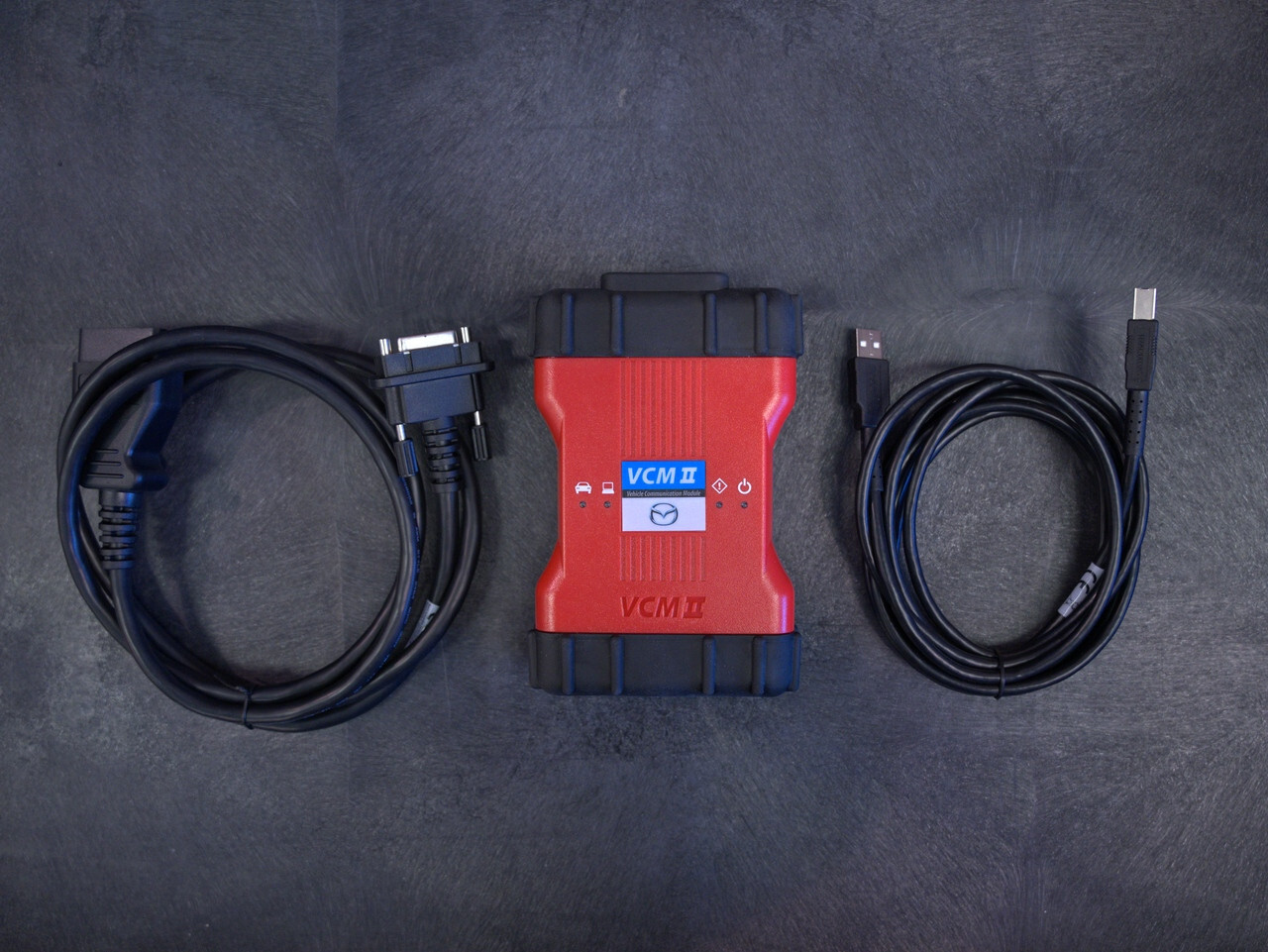
Mazda VCM II
The factory-authorized Mazda Vehicle Communication Module, engineered by Bosch, is generally the most reliable interface for Mazda service work. A genuine Mazda VCM II provides bidirectional access to both high-speed and medium-speed CAN bus networks, is validated for both legacy iDS applications and the cloud-based MDARS platform, and offers strong stability for complex module initializations, parameter resets, and key programming.
Shop Mazda VCM II →Validated SAE J2534 Pass-Thru Devices
Shops already running multi-brand programming setups can use certain third-party J2534 pass-thru devices with MDARS, though Mazda's software is known to be sensitive to VCI timing parameters. Standard J2534 tools generally work well on 7th-generation vehicles running MDARS. Legacy mid-speed CAN modules on older platforms are a different story: they often can't be reflashed through standard pass-thru setups and may require an authentic VCM II running iDS instead.
Mazda Service Info requires compatible hardware for advanced diagnostics. Here's what you need.
| Hardware | Description | Key Features | Compatibility | Notes |
|---|---|---|---|---|
| Mazda VCM II | Official Mazda interface for diagnostics / programming. | USB connection, bidirectional controls, module programming. |
IDS MDARS |
Available here |
| Denso Scan Tool (DST-010B) |
Official Mazda interface for diagnostics / programming. | USB connection, bidirectional controls, module programming. |
IDS MDARS MDARS II Future Software |
Available here |
| J2534 Pass-Thru |
Generic interface | Supports some programming tasks. | Older models with MMP / MDSFA Newer models (2019+) with MDARS. |
Contact pass through device manufacturer to verify if the unit is compatible. |
• VCM-II and DST-010B are recommended for professional use.
• Diagnostic scan tools or software marketed as "OEM Compatible or OEM-C" have no history of being tested or validated by Mazda North American Operations. Consequently, "OEM Compatible" or "OEM-C" scans should not be acknowledged as a proper OEM Diagnostic Scan for Mazda vehicles.
• The use of Mazda scan tool software is the only way to perform a proper OEM Diagnostic Scan for Mazda vehicles.
• The Bosch KTS560, CarDAQ-Plus 3, CarDAQ-Pro / CarDAQ-Pro 360, and the Autel MaxiFlash J2534’s are known to work as intended.
A Note on Clone Hardware
Replica VCM units from discount overseas sellers can sometimes pull basic diagnostic trouble codes, but their internal chipsets tend to struggle under the data demands of a full software reflash. Investing in genuine, commercial-grade hardware helps technicians maintain full diagnostic throughput without exposing the shop to the liability that comes with a failed reflash mid-job.
Getting Started
Equipping a bay with official Mazda software, a properly specified laptop, and a validated communication interface is a meaningful step toward operating as a tech-forward, dealership-alternative repair facility. If you're weighing which combination of tools makes sense for your shop, get in touch with ADAS Depot and we can help you figure out the right setup.
Build Your Mazda Diagnostic Setup
Need help choosing the right Mazda hardware for your shop? ADAS Depot can help you put together a setup designed for the vehicles and diagnostic work you handle every day.
