
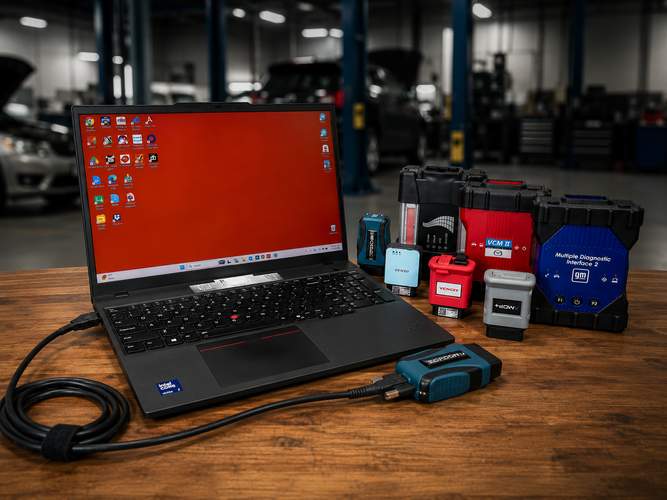
A shop's reference for OEM diagnostic hardware, software, and setup, organized by manufacturer.
Why OEM Hardware Matters
Independent collision and repair shops have two broad paths for vehicle diagnostics and programming: aftermarket scan tools (Autel, Launch, Topdon, and similar) or OEM-specific hardware and software purchased directly from the manufacturer. The two aren't competitors so much as complements, and the shops getting the most out of their diagnostic setup use both, choosing the right tool for the job in front of them.
What OEM hardware actually gives you
OEM tools, whether that's Ford's IDS/FDRS, GM's GDS2, Toyota's Techstream, or FCA's wiTECH, connect a shop directly to the same diagnostic environment the dealer uses. That access matters most in a specific set of situations that come up constantly in ADAS and collision work:
- › Full ADAS calibration coverage. Aftermarket tools cover a large share of makes and models, but they don't cover 100% of everything. Tasks like Chrysler proxy alignments, BMW online service-history writes, and late-model immobilizer resets often still require factory software.
- › Security-gated vehicles. Brands including FCA (Chrysler, Dodge, Jeep), Mercedes, Nissan, and Hyundai block key functions unless the tool authenticates through the manufacturer's own system, which locks aftermarket tools out entirely for certain operations.
- › Module programming and flashing. Writing new calibrations to a module, rather than just reading data from it, is where OEM software is most often the only option, especially on newer platforms.
- › Liability and documentation. Using the OEM's own tool and following its documented procedure gives a shop the strongest paper trail if a repair is ever questioned, whether by an insurer or in a liability claim.
Where aftermarket still wins
Aftermarket tablets dominate the first-touch, day-to-day diagnostic work: pulling codes, running tests, clearing faults, and handling routine coding functions without the added complexity of an OEM login and subscription. They're faster to get moving on for a broad range of makes and don't require a dedicated Windows laptop per brand. For a shop that isn't specialized in one or two OEMs, aftermarket coverage is usually the more practical starting point, with OEM hardware layered in for the specific vehicles and procedures that demand it.
The common thread: J2534
Most current OEM diagnostic software runs through the J2534 pass-through standard, which is what allows a single piece of hardware to work across multiple manufacturers as long as each automaker has validated the device. A J2534 device sits between three things: a Windows laptop, the automaker's software, and the vehicle's OBD-II port. The shop downloads the OEM application from the manufacturer's own service site, installs the matching drivers, connects the device to the vehicle, and the OEM software pushes calibrations through it. A few practical notes worth keeping in mind when a shop is evaluating hardware: the OEM applications are Windows-only, the hardware itself is a one-time purchase but the software runs on a per-brand subscription (typically priced by the day, month, or year), and many late-model vehicles sit behind a security gateway that requires the shop to be registered and authenticated with the manufacturer before a module will accept a flash.
The regulatory backdrop: the REPAIR Act setback
Access to OEM hardware and software is also a live policy question, not just a purchasing one. On May 21, 2026, the House Energy and Commerce Committee advanced H.R. 7389, the Motor Vehicle Modernization Act of 2026, 48 to 1, folding in a narrowed version of the REPAIR Act (H.R. 1566). The original REPAIR Act would have required manufacturers to give vehicle owners and independent shops the same access to repair data, diagnostic tools, and software that franchised dealers get. The committee version instead codifies the existing 2014 and 2015 industry memoranda of understanding on repair information and adds FTC enforcement, without a direct data-access mandate. That distinction matters for exactly the kind of work this guide covers: modern ADAS calibration depends on manufacturer procedures, programming functions, and secure gateway authentication, not just the hardware itself, so having the calibration tool is only half the equation if a shop can't get past the manufacturer's access controls to use it.
Reaction was immediate. MEMA Aftermarket Suppliers said the narrowed language fails to protect independent shops, and Representative Neal Dunn, the REPAIR Act's original sponsor, said the committee version "does not fully reflect the original REPAIR Act," per SEMA's coverage of the markup. On June 5, the National Federation of Independent Business sent a letter to the House urging that substantive provisions be restored. H.R. 7389 is now headed toward a House floor vote as part of the broader surface transportation reauthorization, which faces a September 30, 2026 deadline, per Autobody News, with negotiations on right-to-repair language reportedly ongoing.
The bottom line for sales conversations
When a shop is on the fence about OEM hardware, the conversation usually comes down to volume and vehicle mix. A shop doing meaningful volume on a specific make, especially newer vehicles with advanced ADAS systems, gets a fast payback from OEM-level access: fewer turned-away jobs, fewer trips to the dealer, and a stronger liability position. The guides below cover what's currently available for Toyota, Ford, Stellantis, Honda/Acura, and Mazda, with more OEMs to follow as new guides are published.
Toyota / Lexus / Scion OEM — Techstream Lite
Techstream Lite gives independent shops access to the same Global Techstream+ (GTS+) software used by Toyota and Lexus dealerships. It runs on a standard Windows laptop and requires no proprietary hardware beyond a single J2534-compliant cable.
Hardware
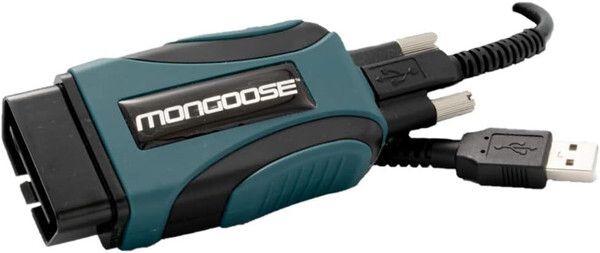
J2534-compliant vehicle interface module (VIM). Connects the laptop to the vehicle's OBD-II port. Has separate 32-bit and 64-bit driver installers, and the correct one has to match the shop's PC.
Coverage
Most 1996-and-newer Toyota, Lexus, and Scion models. One notable exception: 2020-and-newer GR Supra requires an additional diagnostic cable beyond the standard MFC3 setup.
What it unlocks
Full DTCs, data lists, active tests, health checks, ECU reprogramming calibrations, and ADAS-specific utilities including radar beam axis adjustment and front recognition camera calibration.
PC requirements
- ■ Intel i5 / Ryzen 5 or better, 8 GB RAM, 256 GB storage
- ■ Windows 10 or 11, 64-bit only
- ■ Chrome 107+, Edge 107+, or Firefox 80+, plus .NET 4.7.2
- ■ Admin rights for install; 100 Mbps internet recommended (10 Mbps hard floor). GTS+ requires a constant connection and does not work offline.
Software / subscription
A TIS subscription (managed through techinfo.toyota.com, available in yearly, monthly, or two-day intervals) provides the technical library, reprogramming calibrations, and Identifix Direct-Hit access alongside the GTS+ software itself.
Sales angle
Best fit for shops doing steady Toyota/Lexus volume, particularly 2020-and-newer vehicles with advanced ADAS systems where generic scan tools can't reach the calibration utilities or reprogramming depth needed. Low hardware cost of entry relative to full dealer tooling.
Ford / Lincoln / Mercury OEM — IDS, FDRS & FJDS
Ford runs on three diagnostic platforms rather than one, and which platform a shop needs depends on the model year of the vehicle in front of them. A current Ford diagnostic subscription covers all three under a single login, so there's no need to manage separate licenses once a shop is set up. It's also worth flagging to customers that Ford restricts third-party platforms, including tools like Autel, from accessing its software through remote expert services. OEM-level Ford diagnostics has to go through Ford's own ecosystem.
The three platforms
- › IDS (Integrated Diagnostic System) — legacy software covering most 1996–2020 model year vehicles.
- › FDRS (Ford Diagnostic and Repair System) — the current platform, required for newer vehicles including 2018+ Expedition/Navigator/EcoSport, 2019+ Ranger/Transit Connect, and 2020+ Transit/Explorer/Aviator/Super Duty/Escape/Corsair.
- › FJDS (Ford J2534 Diagnostic Software) — the J2534-compliant version of IDS, generally included with an IDS license, for shops using pass-through devices rather than Ford's own VCI.
Hardware options
| Hardware | Type | Notes |
|---|---|---|
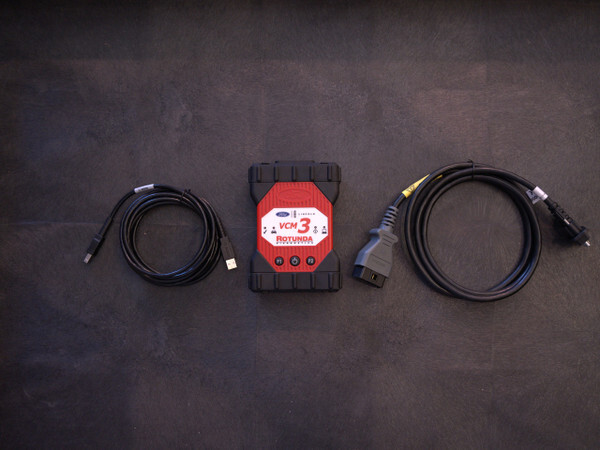
| Ford VCM 3 Hardware Dealer Kit | OEM | Current OEM standard. Supports all 16-pin Ford/Lincoln/Mercury vehicles 1996-present. CAN, CAN FD, and DoIP capable, built for current and upcoming platforms. |
| Mongoose-Plus Ford2 (also BT) | Aftermarket J2534 | Ford-validated pass-thru device. Covers module flash programming, PATS key programming, and basic diagnostics. CAN FD capable, Ford-approved for Motorcraft software. Bluetooth version available. |
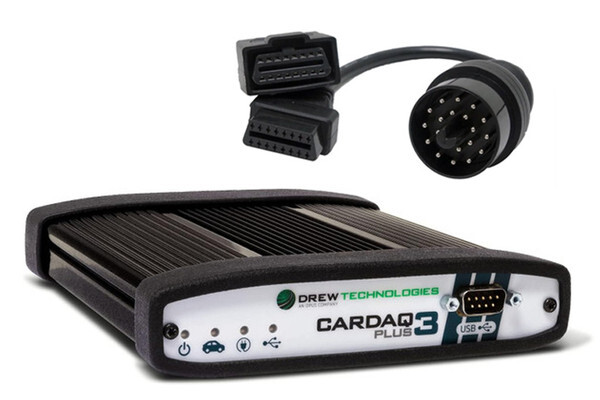
| CarDAQ-Plus 3 (also BT) | Aftermarket J2534 | Multi-OEM device that also covers Ford, the better fit for shops working across multiple brands rather than Ford-only. |
PC requirements
FDRS is the more demanding of the two and is the safer spec target if a shop is setting up one dedicated diagnostic PC for Ford work:
- ■ IDS: Windows 10/11 (64-bit), i5/i7 at 2.4 GHz+, 8 GB RAM, 256 GB SSD, 2–3 free USB ports
- ■ FDRS: Windows 10/11 Professional (64-bit), i5/i7 at 2.4 GHz+ (or equivalent AMD), 16 GB RAM, 256 GB SSD, USB 3.0 ports, active broadband connection required for module updates
Software / subscription
Purchased and managed through the Motorcraft Service portal (fordtechservice.dealerconnection.com). Ford uses an account-based system, so one login covers IDS, FDRS, and FJDS across multiple shop machines with no per-computer activation codes.
Sales angle
The three-platform structure is the thing most shop owners don't realize until they hit a wall on a specific model year. Leading with "you may need up to three tools depending on the vehicle, here's how to cover all three with one subscription" is a natural way into the hardware conversation, whether that's the OEM VCM 3 or one of the aftermarket J2534 options depending on whether the shop is Ford-focused or multi-brand.
Stellantis (Chrysler / Dodge / Jeep / Ram) OEM — Mopar MDP+ & Aftermarket Options
Chrysler, Dodge, Jeep, and Ram vehicles are some of the trickier lines to service. Secure gateway locks, token-based module flashing, and immobilizer work all stand between a technician and a finished repair, so the right setup here depends heavily on how much factory-level access a shop actually needs.
Why these vehicles are harder to service
Most 2018-and-newer FCA vehicles ship with a Secure Gateway Module (SGW). Until a tool authenticates through FCA's Tech Authority or the AutoAuth system, it can read codes but can't send bidirectional commands, run resets, or write to modules, which is why older or lower-tier scanners stall out on late-model Chrysler work. Reprogramming adds another layer on top: flashing an ECU or replacing a control module pulls files from Chrysler's Technical Service Portal, usually gated behind a per-VIN token. A capable tool has to clear the gateway first, then push the flash without bricking the module.
Aftermarket options
For day-to-day diagnostics, bidirectional tests, and most reset functions, a strong aftermarket tablet handles roughly 80% of Chrysler, Dodge, and Jeep work, and does it faster than factory software. When a job calls for true OEM-level reprogramming, that tablet gets paired with a J2534 pass-thru device running Chrysler's TechAuthority software.
A strong aftermarket tablet handles roughly 80% of Chrysler, Dodge, and Jeep work — and does it faster than factory software.
| Hardware | Type | Notes |
|---|---|---|
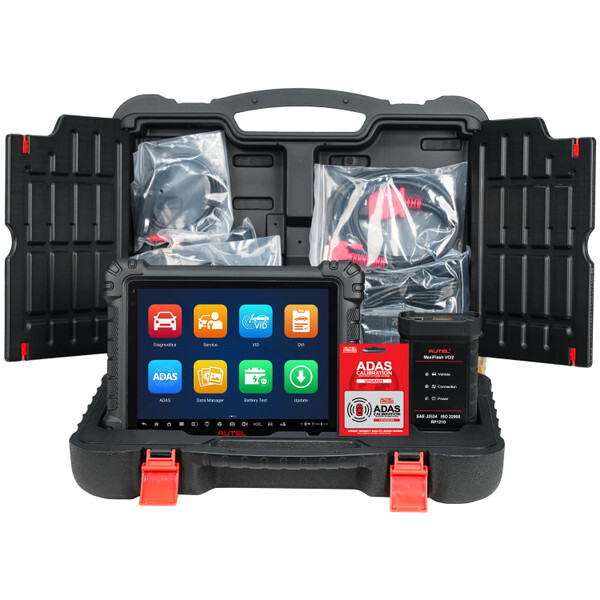
| Autel MaxiSYS Ultra / MS909 / MS919 | Aftermarket tablet | The Ultra reaches every module across all systems on 1996-and-newer vehicles and supports FCA AutoAuth for secure-gateway access. The MS909 and MS919 cover nearly identical diagnostic depth in a smaller, lower-cost package. |
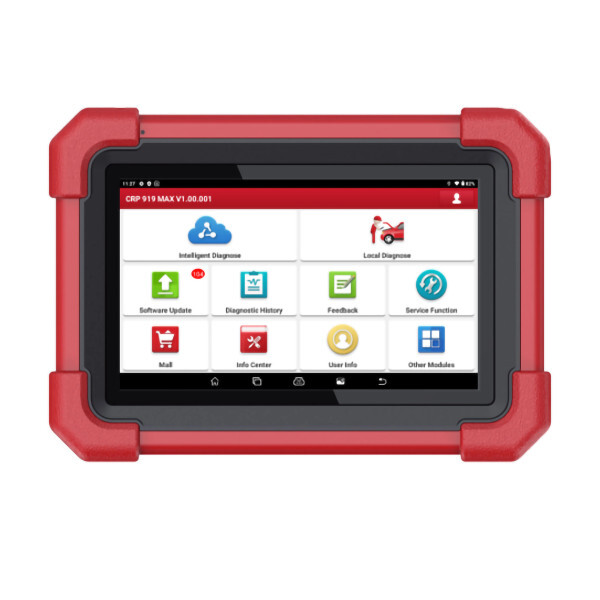
| Launch CRP 919 Max | Aftermarket tablet | Budget-friendly option, well under a grand, with full-system bidirectional coverage across Chrysler, Dodge, and Jeep modules plus active component tests. |
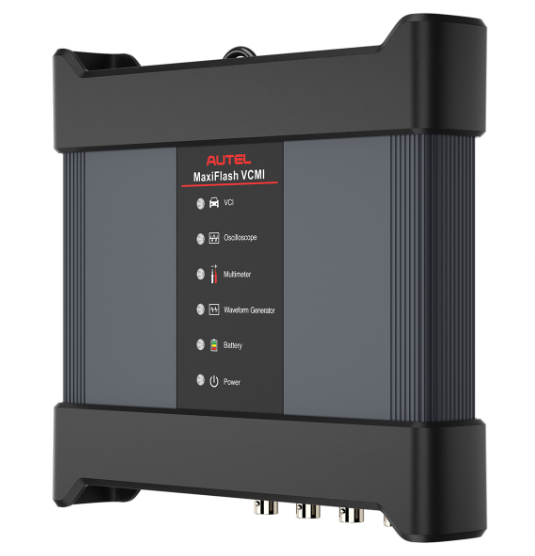
| Autel MaxiFLASH VCMI | J2534 pass-thru | Pairs with the MaxiSYS tablets for OEM reprogramming. Doubles as a 4-channel scope, multimeter, and CAN bus tester. |
| Opus IVS CarDAQ-Plus 3 | J2534 pass-thru | Brand-agnostic device meeting SAE J2534-1/-2 with CAN FD and DoIP support, so it flashes Chrysler modules and most other makes from the same box. |
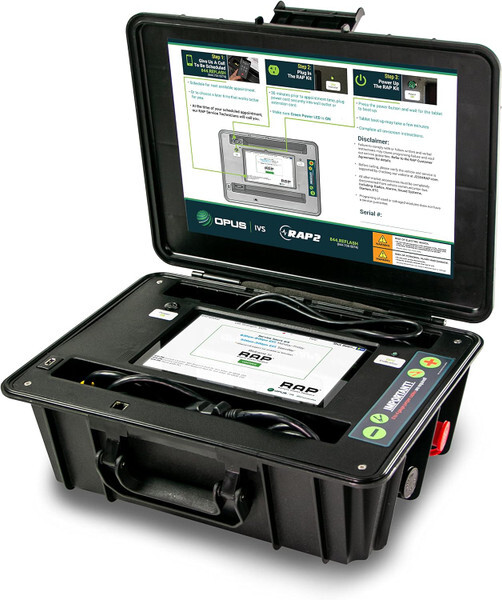
| Opus IVS RAP2 | Remote programming | Remote Assist Programming: Opus handles the OEM programming remotely while the vehicle stays in the shop's bay, for shops that would rather not run TechAuthority themselves. |
OEM hardware: Mopar Diagnostic Pod Plus (MDP+)
For the jobs aftermarket tools can't touch, the Mopar Diagnostic Pod Plus is the factory FCA platform, the same hardware dealerships use. The package bundles the MDP pod with WiTECH 2.0, TechAuthority access, and a per-VIN flash-token system, covering live diagnostics, module reprogramming, secure-gateway authentication, and guided repair across Chrysler, Dodge, Jeep, Ram, Fiat, and Alfa Romeo. Because it runs on FCA's own software, it stays current with new model years from day one, which is where aftermarket coverage tends to lag. It's the tool to reach for on secure-gateway lockouts, immobilizer and key work, brand-new vehicles, or any flash where a guaranteed factory result matters.
Software / subscription
The MDP+ requires both a WiTECH subscription and a TechAuthority subscription to function, available in 3-day, 30-day, or 1-year terms. Programming or updating a module additionally requires an ECU flash token at extra cost; tokens are tied to the VIN and valid for one year.
Sales angle
Most shops land on a blend rather than an either/or: an aftermarket scanner for speed and daily volume, plus OEM hardware for the higher-stakes jobs. As a rough guide, daily diagnostics and resets point to an Autel MaxiSYS tablet or the Launch CRP 919 Max, occasional multi-brand module flashing points to a J2534 pass-thru like the MaxiFLASH VCMI or CarDAQ-Plus 3, and frequent FCA programming, secure-gateway work, or newest-model-year vehicles point to the Mopar MDP+.
Honda / Acura OEM — i-HDS & the Honda Antares Capsule
A Honda or Acura with a persistent electrical fault, a stubborn check engine light, or an immobilizer issue can push even a capable independent shop toward subletting the job. Honda/Acura HDS (Honda Diagnostic System) and i-HDS (Integrated Honda Diagnostic System) give a shop dealership-level access for ECU reprogramming, ADAS calibration, and immobilizer work, without sending the customer elsewhere.
Hardware
Honda and Acura's current recommended Smart VCI, replacing the legacy Denso DST-i. American Honda and Honda Canada worked directly with the manufacturer of the HAC to validate it against the i-HDS suite for both diagnostics and reprogramming. Connects over Wi-Fi for routine diagnostics; ECU flashing and control module updates require a wired USB 3.1 Type-A connection. Built into a shock-resistant rubber boot with a cable retention strap, ships in a waterproof case, and boots in around five seconds. (source: Honda TechInfo, Honda Tool and Equipment Program)
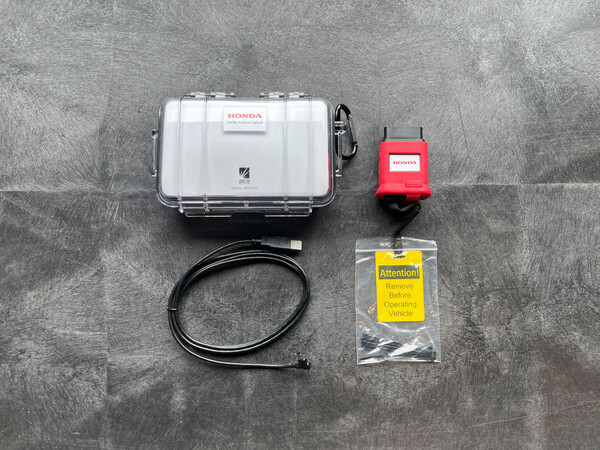
What it unlocks
Full DTC read/clear, live data streaming, freeze-frame snapshots, and factory-level ECU reprogramming. ADAS systems including Lane Keeping Assist and Collision Mitigation Braking calibrate through the same OEM workflow Honda's own techs use, which matters most after a collision repair or windshield replacement. Access to the immobilizer system requires a Security Professional-level i-HDS subscription plus Vehicle Security Professional (VSP) registration through NASTF; with that in place, techs get the factory Immobilizer Setup Tool for key programming and immobilizer initialization — jobs that otherwise get towed to a dealer. (source: Honda TechInfo)
Do you need the HAC specifically?
Not strictly. i-HDS supports any generic SAE J2534-1/2 pass-thru device, including tools like the Opus IVS Mongoose-Plus. But Honda does not provide technical or customer support for generic VCIs, so any support issues fall on whichever device supplier a shop chooses. The HAC is the only device Honda co-developed specifically for safe interaction during sensitive operations like reprogramming. (source: Honda TechInfo)
PC requirements
- ■ Windows 11 Professional or Enterprise, 64-bit
- ■ 13th Gen Intel Core i7, 10 cores or more — AMD/ARM processors are not officially certified and emulation environments may fail during programming
- ■ 32 GB RAM, SSD with 300 GB free, 1920×1080 display or higher
- ■ Gigabit Ethernet + Wi-Fi 5 (802.11ac), USB 3.1 Type-A, Bluetooth 4.2+. (source: Honda TechInfo)
Software / subscription
Honda TechInfo offers short-term as well as annual i-HDS subscription options, so a shop that only sees the occasional Honda or Acura can scale the cost to actual volume. Pairing i-HDS with a Service Information System (SIS) subscription adds Honda's browser-based repair information for step-by-step diagnostic guidance. Connecting the HAC also triggers an automatic DTC scan and syncs VIN and fault data to the Honda Diagnostic Cloud, giving the shop a running diagnostic history tied to each vehicle.
Sales angle
Honda's tight processor and immobilizer requirements mean the pitch here is as much about the laptop as it is about the HAC itself. A shop that isn't set up to spend a Tuesday assembling a compliant diagnostic PC can have ADAS Depot build one, single-brand or multi-brand and partitioned for what the shop actually works on — and pick up the Honda Antares Capsule at the same time.
Mazda OEM — iDS & MDARS
Modern Mazda vehicles function less like simple machines and more like data-rich, interconnected networks. When a late-model Mazda enters a service bay with an unreadable body code, a blank module, outdated software, or a corrupt flash configuration, a shop operating only with generic multi-brand OBD-II scan tools is left with three options: sublet the job to a mobile technician with OE tooling, send it to a dealership, or invest in factory-level access.
For independent shops aiming to compete as a genuine dealership alternative, deploying Mazda iDS and MDARS has become a baseline requirement rather than an optional upgrade.
The Architecture: iDS vs. MDARS
Mazda splits its factory diagnostic software across two platforms depending on vehicle generation. Mazda iDS covers 6th-generation and legacy vehicles, built on pre-2019 platforms and older Skyactiv architectures, running on a legacy integrated software stack. MDARS, by contrast, covers 7th-generation and newer vehicles and runs as a Chromium-based cloud application. Knowing which platform a given vehicle requires is the first step in equipping a bay correctly, since the two systems have different hardware and connectivity expectations.
Covers 6th-generation and legacy Mazda vehicles, including pre-2019 platforms and older Skyactiv architectures.
Covers 7th-generation and newer vehicles through a Chromium-based cloud application.
Mazda Models and Rollout Years for MDARS
| Model | MDARS Coverage |
|---|---|
| Mazda3 | 2019–present |
| CX-30 | 2020–present |
| CX-50 | 2023–present |
| CX-90 / CX-70 / CX-80 | Latest platform years (2024–present) |
| CX-3 | 2016–2021 (transitioned or covered for specific late modules/updates) |
| CX-5 | Updated through later model years (fully integrated into modern diagnostics by 2021–2025 iterations) |
| Other 7th Gen / Newer Fleet | Subsequent brand-new vehicle releases utilize MDARS or MDARS II as standard dealership diagnostic coverage. |
Why Factory Software Matters
Module Configuration and Programming
Aftermarket scanners can fail or brick modules during bidirectional writing, particularly on ECU and PCM flashing. MDARS and iDS provide native, secure access to software updates, cloning, initialize, and flash these modules, along with complete Pass-Thru J2534 compatibility, exact immobilizer synchronization for factory key programming, and secure, authorization-locked gateway access for parameter resets. That level of access is what separates a shop that can safely reflash a module from one that has to sublet the job.
Diagnostic Depth Beyond Generic Codes
Generic scanners surface little more than standard emissions codes. Mazda's factory software exposes proprietary manufacturer PIDs, communication network errors, and deeper chassis and body codes, along with direct access to the native datalogger for synchronous, multi-graph live data streams, targeted active actuator testing to force module responses on command, and more precise isolation of intermittent CAN bus glitches.
ADAS Calibration
Seventh-generation Mazdas rely heavily on radar, camera, and sonar systems for driver assistance. Replacing a bumper, windshield, or suspension component on these vehicles typically requires recalibrating those systems to stay within OEM tolerances. MDARS provides the step-by-step calibration guidance needed to do that correctly, which matters both for vehicle safety and for shop liability.
Shop Throughput
Subletting software-dependent diagnostics to a dealership extends cycle times and adds friction for customers. Handling module flashing, software updates, ADAS calibrations, steering angle resets, and electronic parking brake maintenance in-house lets a shop bill at competitive labor rates while keeping that work, and the associated margin, on-site.
PC and Laptop Requirements
Because MDARS is a cloud-reliant, Chromium-based application, the laptop running it needs to meet certain baseline requirements to avoid a dropped connection mid-flash. Mazda is specific on this point: MDARS is only supported on a PC with Windows 11 pre-installed at the factory. A PC that was upgraded to Windows 11 from Windows 8 or an earlier version is not supported, and neither is any PC with ARM chip architecture. Any PC that falls outside these requirements is not supported at all, and Mazda recommends replacing diagnostic PCs that have been in service for more than five years to keep the platform running reliably.
| Operating System | Windows 11 Professional 64-bit editions. Home editions are not supported. |
| Processor | Intel Core i5 or i7 at 2.5 GHz or higher. ARM architecture is not supported. |
| Memory | Minimum 8 GB RAM; 16 GB recommended. |
| Storage | At least 100 GB of free SSD storage. |
| USB | Dedicated USB 3.0 port for VCI hardware connection. |
| Network | Stable Wi-Fi 5 or Wi-Fi 6 connection in the service bay. |
Choosing the Right Hardware Interface
Reliable software licenses don't help much if the Vehicle Communication Interface (VCI) drops a connection mid-flash, since that risk extends to bricking an expensive customer ECU. Two paths cover most shops.
The factory-authorized Mazda Vehicle Communication Module, engineered by Bosch, is generally the most reliable interface for Mazda service work. A genuine Mazda VCM II provides bidirectional access to both high-speed and medium-speed CAN bus networks, is validated for both legacy iDS applications and the cloud-based MDARS platform, and offers strong stability for complex module initializations, parameter resets, and key programming. The Mazda VCM II is the genuine factory unit.
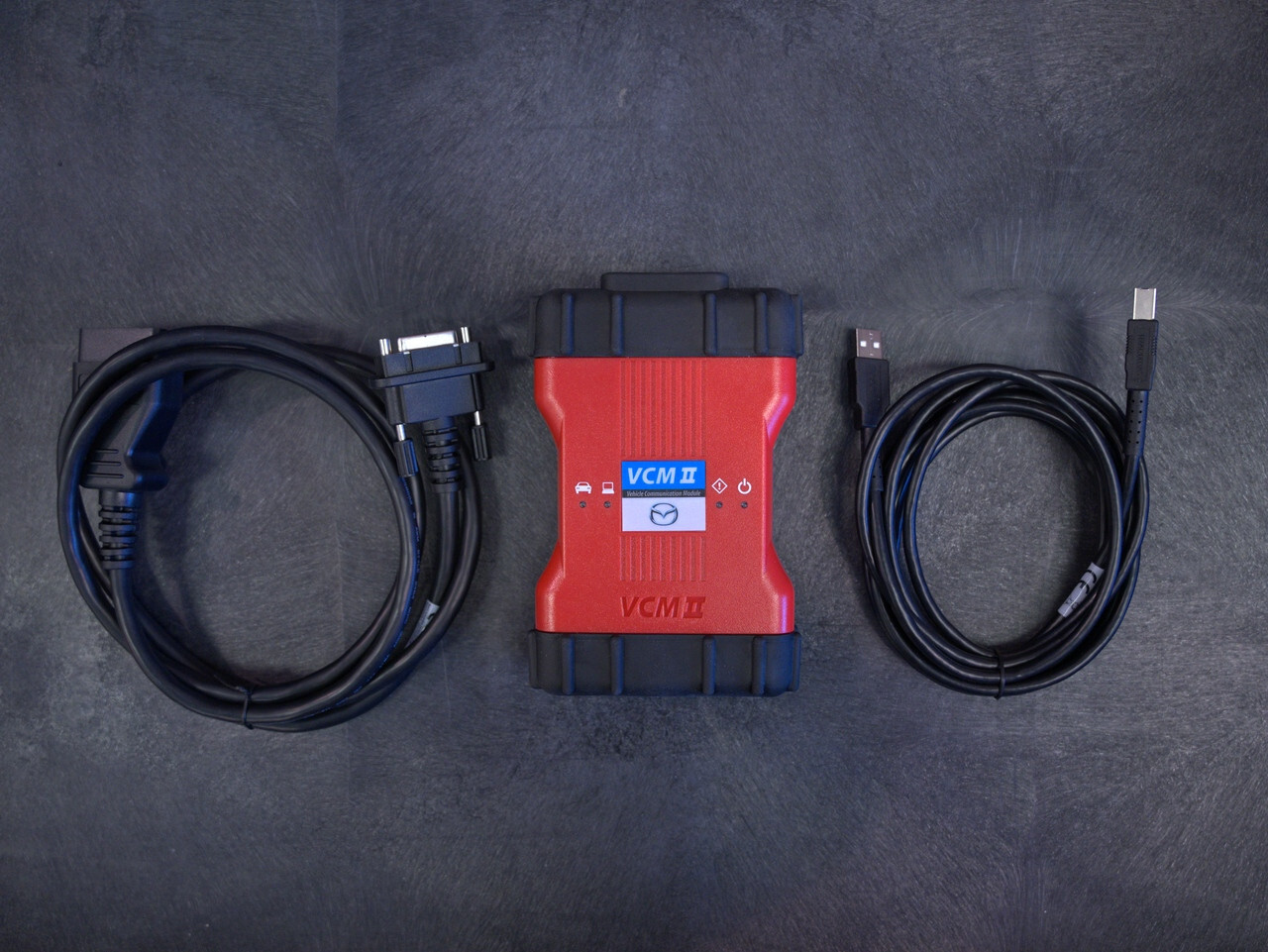
Validated SAE J2534 Pass-Thru Devices
Shops already running multi-brand programming setups can use certain third-party J2534 pass-thru devices with MDARS, though Mazda's software is known to be sensitive to VCI timing parameters. Standard J2534 tools generally work well on 7th-generation vehicles running MDARS. Legacy mid-speed CAN modules on older platforms are a different story: they often can't be reflashed through standard pass-thru setups and may require an authentic VCM II running iDS instead.
Mazda Service Info requires compatible hardware for advanced diagnostics. Here's what you need.
| Hardware | Description | Key Features | Compatibility | Notes |
|---|---|---|---|---|
| Mazda VCM II | Official Mazda interface for diagnostics / programming. | USB connection, bidirectional controls, module programming. |
IDS MDARS |
Available via Mazda eStore |
| Denso Scan Tool (DST-010B) |
Official Mazda interface for diagnostics / programming. | USB connection, bidirectional controls, module programming. |
IDS MDARS MDARS II Future Software |
Available via mazdatoolsandequipment.com |
| J2534 Pass-Thru |
Generic interface | Supports some programming tasks. | Older models with MMP / MDSFA Newer models (2019+) with MDARS. |
Contact pass through device manufacturer to verify if the unit is compatible. |
A Note on Clone Hardware
Replica VCM units from discount overseas sellers can sometimes pull basic diagnostic trouble codes, but their internal chipsets tend to struggle under the data demands of a full software reflash. Investing in genuine, commercial-grade hardware helps technicians maintain full diagnostic throughput without exposing the shop to the liability that comes with a failed reflash mid-job.
Getting Started
Equipping a bay with official Mazda software, a properly specified laptop, and a validated communication interface is a meaningful step toward operating as a tech-forward, dealership-alternative repair facility. If you're weighing which combination of tools makes sense for your shop, get in touch with ADAS Depot and we can help you figure out the right setup.
More OEMs Coming
Toyota, Ford, Stellantis, Honda/Acura, and Mazda are the manufacturer guides published so far. As additional OEM guides go live on the blog (GM is a logical next candidate given the hardware ADAS Depot already carries for that platform), this page can be updated to keep it as a single reference for the sales team.
