
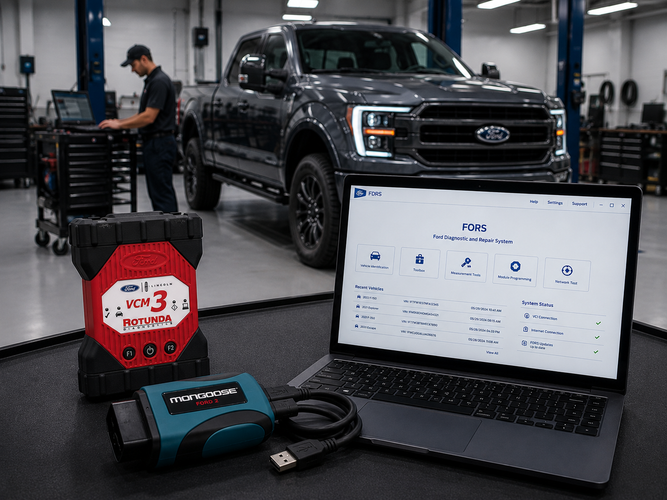
If you're working on Ford and Lincoln vehicles, you've probably noticed that Ford doesn't run on a single diagnostic platform. Depending on the model year of the vehicle in front of you, you may be working with IDS, FDRS, or FJDS, sometimes all three. Understanding how these tools fit together, what hardware they require, and what coverage they provide will save you a lot of frustration and help you avoid mid-job surprises. It's also worth noting that Ford restricts third-party platforms, including tools like Autel, from accessing their software through remote expert services, which means OEM-level Ford diagnostics requires going through Ford's own ecosystem.
Three Platforms, One Ecosystem
Ford's diagnostic software has evolved significantly over the years, and the three platforms reflect that progression rather than replace each other outright.
IDS (Integrated Diagnostic System) is Ford's legacy diagnostic software. It covers most 1996 through 2020 model year Ford, Lincoln, and Mercury vehicles, with certain 2018–2020 models handled by FDRS instead. If a vehicle falls within that window and isn't one of the exceptions below, IDS is your primary tool.
FDRS (Ford Diagnostic and Repair System) is the current platform for newer vehicles. Ford has been migrating model lines to FDRS starting with select 2018 models, and it's the required software for the following vehicles: 2018 and newer Expedition and Navigator; 2018 and newer EcoSport; 2019 and newer Ranger and Transit Connect; 2020 and newer Transit, Explorer, Aviator, Super Duty, Escape, and Corsair. All other vehicles in that overlapping range continue to use IDS.
FJDS (Ford J2534 Diagnostic Software) sits alongside IDS and provides the same diagnostic functionality and vehicle coverage for J2534 pass-thru devices. It's the J2534-compliant version of IDS, and purchasing an IDS license generally includes FJDS access. For the 2018–2020 models listed above and all vehicles 2021 and newer, FDRS is the required platform.
The practical takeaway: purchasing a Ford diagnostic subscription today gets you access to all three platforms under one login, so there's no need to manage separate licenses.
Hardware Requirements
All three Ford platforms require a Vehicle Communication Interface (VCI) to connect your PC to the vehicle's OBD-II port. Ford supports both OEM and certified aftermarket J2534 interfaces.
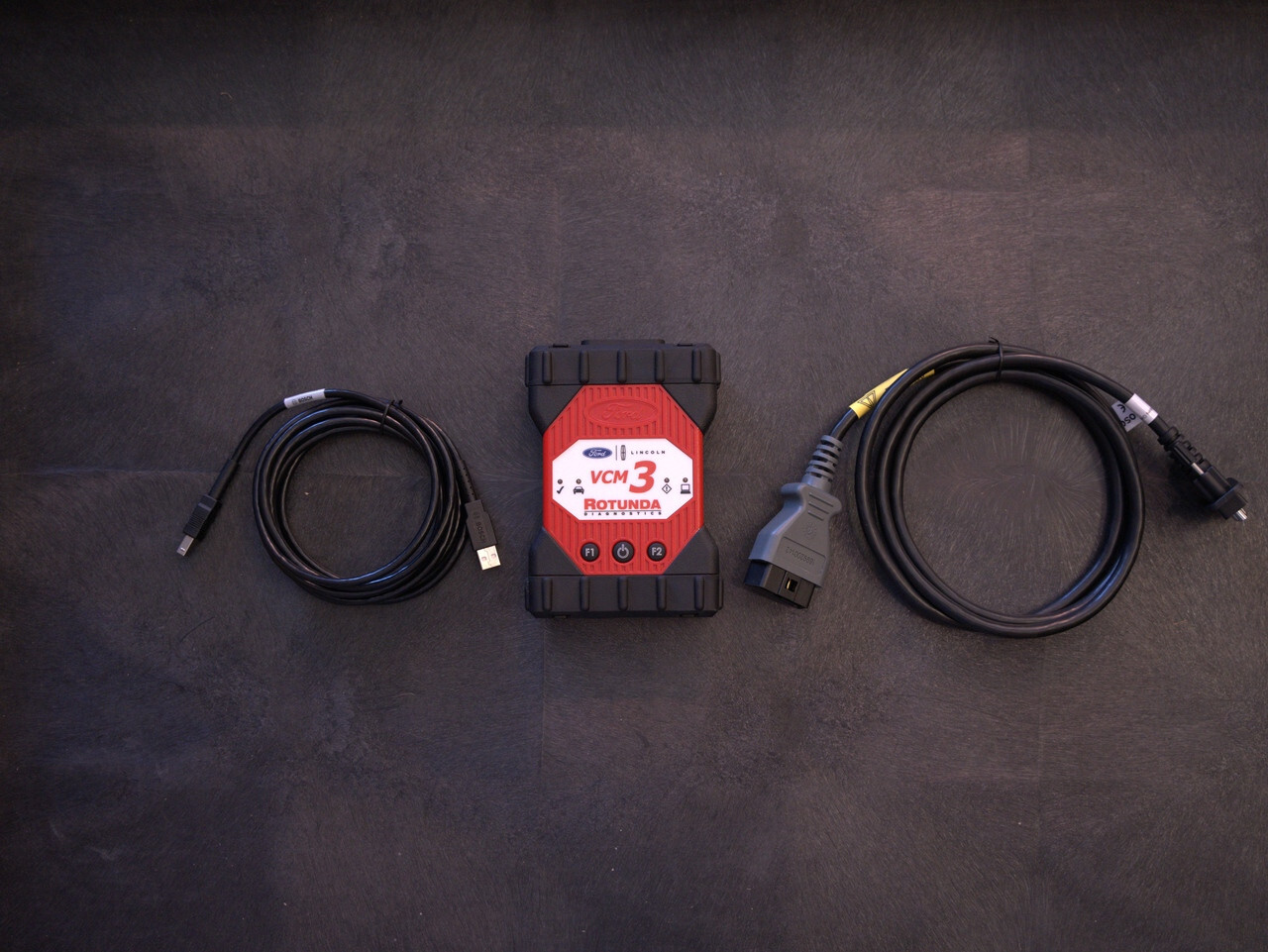
On the OEM side, the current standard is the Ford VCM 3. It supports all 16-pin Ford, Lincoln, and Mercury vehicles from 1996 to present and is compatible with both IDS and FDRS. It communicates via CAN, CAN FD, and DoIP protocols, which means it's built for current and upcoming vehicle platforms. ADAS Depot carries the Ford VCM 3 Hardware Dealer Kit for shops looking for the OEM interface.
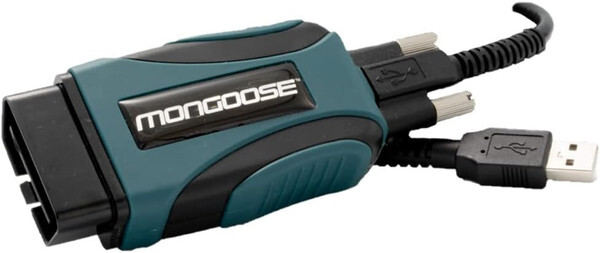
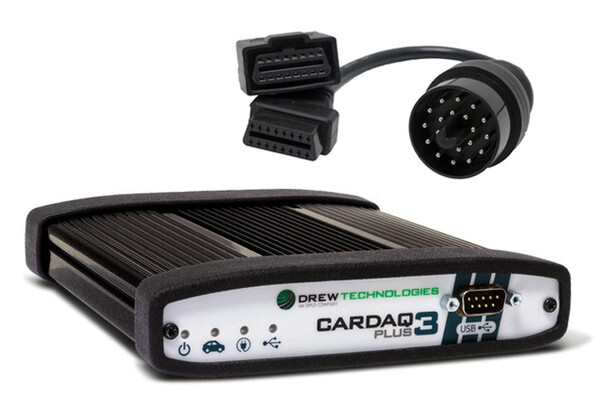
For shops that prefer an aftermarket J2534 option, there are two solid choices. The Opus IVS Mongoose-Plus Ford2 is a Ford-validated pass-thru device that covers module flash programming, PATS key programming, and basic diagnostics, with CAN FD capability and Ford approval for use with Motorcraft software. ADAS Depot carries both the standard Mongoose-Plus Ford2 and the Mongoose-Plus Ford2-BT with Bluetooth connectivity. The other option is the Opus IVS CarDAQ-Plus 3, a multi-OEM J2534 device that also supports Ford alongside a wide range of other manufacturers — a good fit for shops working across multiple brands. ADAS Depot carries the CarDAQ-Plus 3 and the CarDAQ-Plus 3 with Bluetooth.
One hardware note worth calling out: during any module programming session, Ford requires a stable battery maintainer or charger connected to the vehicle. A power dip mid-flash can corrupt a module, so this isn't optional.
PC Requirements
IDS and FDRS have slightly different PC requirements, and FDRS is the more demanding of the two.
For IDS, you need Windows 10 or 11 (64-bit), an Intel Core i5 or i7 at 2.4 GHz or higher, 8 GB of RAM, and an SSD with at least 256 GB of storage. You'll also need two to three available USB ports.
FDRS requires Windows 10 or 11 Professional (64-bit), an Intel Core i5 or i7 at 2.4 GHz or equivalent AMD processor, 16 GB of RAM, an SSD with at least 256 GB of storage, and USB 3.0 ports. FDRS also requires an active broadband internet connection for module updates.
If you're setting up a dedicated diagnostic PC for a Ford-focused workflow, spec it to the FDRS requirements and it'll handle both platforms without issue.
Getting Started
Subscriptions are purchased and managed through the Motorcraft Service portal at fordtechservice.dealerconnection.com. Ford has moved to an account-based system, so your login covers IDS, FDRS, and FJDS across multiple machines, no per-computer activation codes. The software downloads directly from the same portal.
If you have questions about which interface makes sense for your shop, OEM VCM 3, the Mongoose-Plus Ford2, or the CarDAQ-Plus 3, reach out to the team at ADASDepot.com.
