
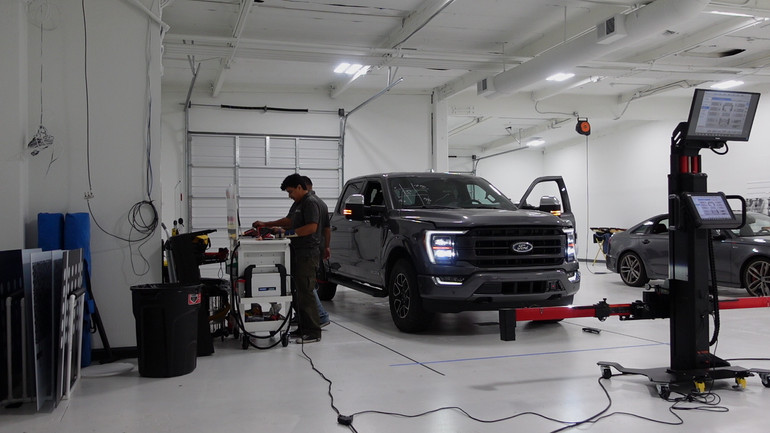
One of the most common questions we get at ADAS Depot is some version of this: "Does this Autel system work on [make/model/year]?" It's a fair question, and the answer matters before you commit to a job, or before you invest in equipment.
Autel has a free tool that answers it directly. It's called the ADAS Setup & Reverse Lookup Guide, and it lives on autel.us. You pick your product, your vehicle, and the specific ADAS system you need to calibrate, and it tells you exactly what components and targets you need, along with setup distances and pre-calibration requirements. No guessing, no digging through manuals.
Here's what it looks like in practice with two vehicles most shops see regularly.
What Is Autel Reverse Lookup?
Autel Reverse Lookup is a vehicle coverage and calibration lookup tool designed to help technicians determine whether a specific vehicle, ADAS system, or calibration procedure is supported before starting the job. By selecting the vehicle make, model, year, and ADAS system, users can identify required targets, calibration components, setup distances, and whether the procedure is static or dynamic. Using Autel reverse lookup before setup helps reduce guesswork, prevents missing equipment issues, and allows shops to verify coverage and calibration requirements before the vehicle enters the bay.
Example 1: 2023 Toyota Camry — Blind Spot Monitoring (Static Calibration)
With the IA900 selected and a 2023 Toyota Camry BSM (Blind Spot Monitoring) system pulled up, the tool returns a static calibration procedure. It lists the specific Autel components required — the Autel Corner Reflector Stand only (CSC0800) (also available bundled as the Radar Trihedral Reflectors) along with Autel Corner Reflector for Toyota, Honda and Subaru (CSC0802/10) and Autel Corner Laser (CSC0802-13) — and gives you the exact positioning specs: the front target placed 1,687mm from the vehicle, and the side targets positioned 2,365mm out from the vehicle's centerline, with the target head set at 525mm off the ground.
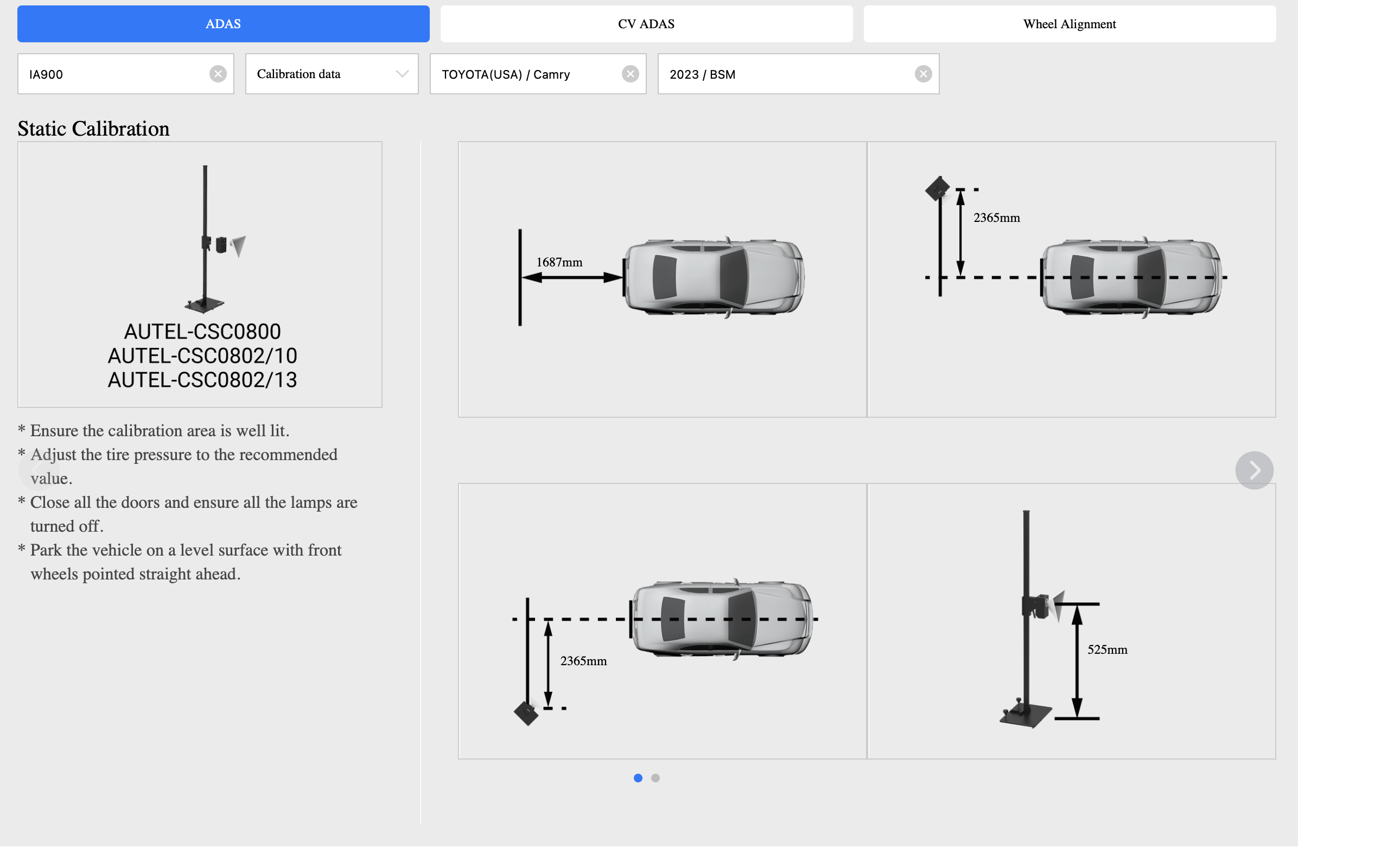
Before you even touch the system, the tool also flags the pre-calibration checklist: the area needs to be well lit, tires inflated to spec, all doors closed, all lamps off, and the vehicle parked on a level surface with the front wheels straight ahead.
That's everything you need to set up the bay correctly and know which components to have on hand, pulled up in seconds.
Example 2: 2022 Ford F-150 — Central Camera Module (Dynamic Calibration)
Same product, completely different result. The 2022 F-150's Central Camera Module (CC-M) requires a dynamic calibration, not a static one. There are no targets, no component distances, no bay setup required. Instead, the tool walks you through a road procedure: verify the vehicle has no active faults, find a road with fixed reference objects on both sides, drive at a steady speed within the specified range until the tool confirms calibration is complete, then bring the vehicle to a safe stop before restarting.
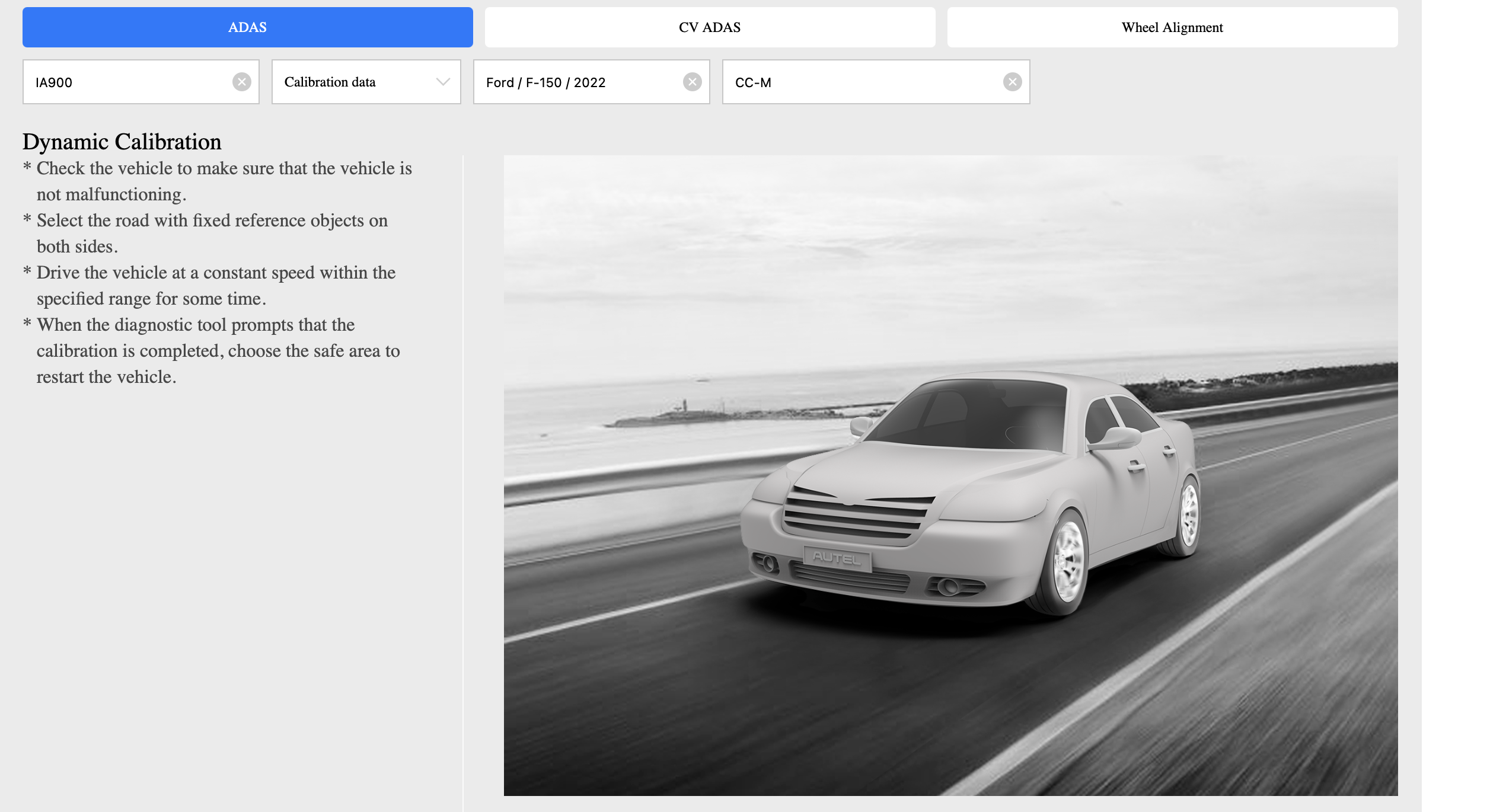
This is an important distinction. Not every ADAS calibration is a bay job. Knowing that upfront means you can plan the job correctly, set the right customer expectations, and avoid setting up equipment you won't need.
What the Tool Actually Tells You
The lookup covers ADAS calibration across Autel's main systems — the IA900, IA700, IA1000, MA600, and others — and for each vehicle it will tell you whether a calibration is static or dynamic, which specific Autel targets and components are required, the exact positioning distances and heights for each component, and any pre-calibration conditions the OEM requires.
It also covers commercial vehicles through the CV ADAS tab, and wheel alignment data through the Wheel Alignment tab — so it's not limited to passenger cars.
The tool is available at autel.us/adas-setup-reverse-lookup-guide and requires no login.
If You're Still Building Out Your ADAS Setup
If the lookup confirms you've got coverage on the vehicles coming through your shop but you don't yet have the equipment to do the work, the Autel IA900 is worth a close look. It combines full ADAS calibration with wheel alignment in one system, handles both static and dynamic procedures, and covers the broad domestic and import mix most shops are dealing with. As an authorized Autel dealer, ADAS Depot can help you figure out whether it's the right fit for what you're seeing in the bay. And once you know which targets or components you need, you can search by part number directly on adasdepot.com to find exactly what you're looking for.
